
Privacy Key Enrollment
- Follow steps 1 to 2 under Initiate a Transaction same as in Proof Onboarding
- Select Product step - select Enroll Device
- Settings step - toggle Privacy Key option
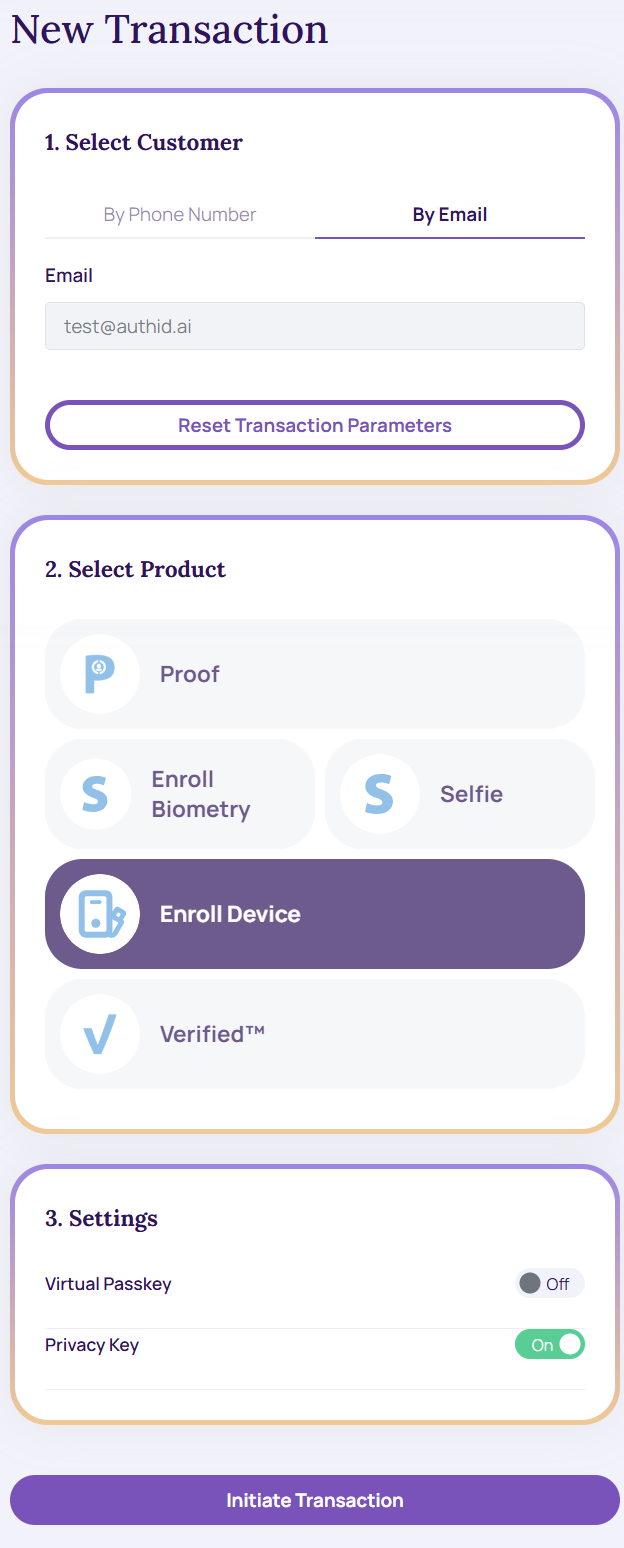
- Tap Initiate Transaction to proceed. The screenshot below shows the result with Developer Options enabled in the Identity Portal Settings.
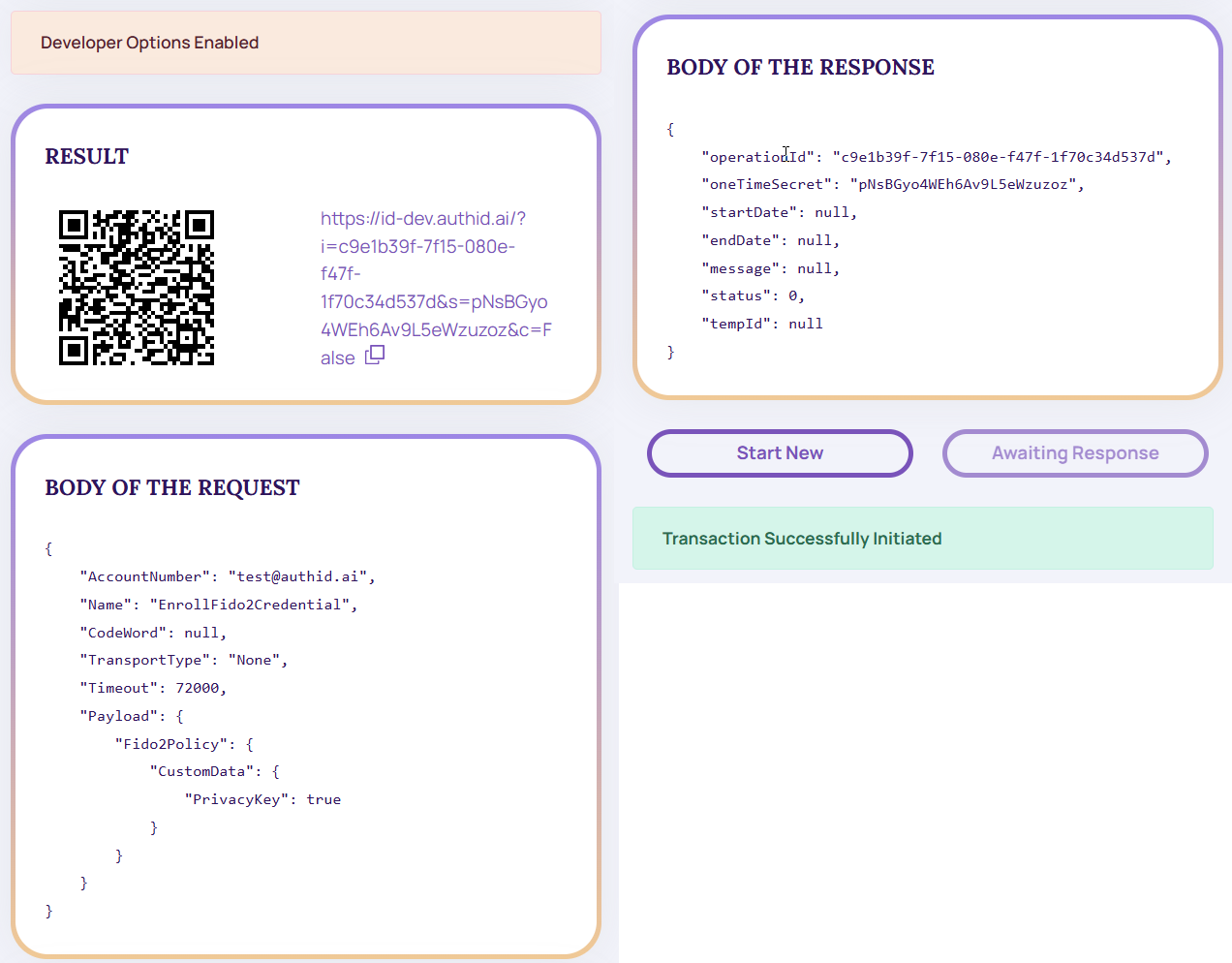
- Click results link or scan QR code from your mobile device to access end user experience Take a Selfie screen.
- Click Agree and Continue and proceed to complete the user experience.
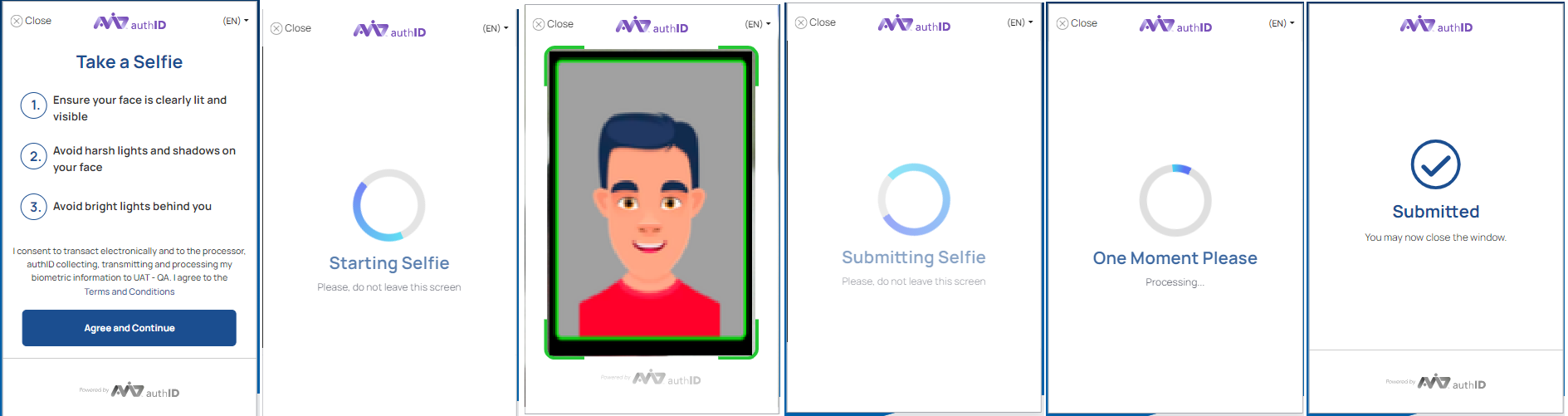
Take a Selfie
Updated 5 months ago
Did this page help you?